
Product overviews
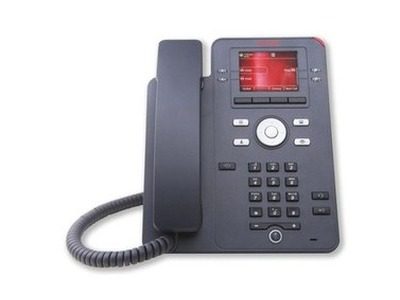
The Avaya J139 is for employees who need core voice features but want the phone set up the way they work, combining simple operation with a modern connected experience. A 2.8-inch colour display with four line/feature keys carrying red/green LEDs and four context-sensitive soft keys makes hold, transfer, conference, forward and call park intuitive. Handset and wired headset deliver wideband HD audio, suiting daily work in enterprises and smaller businesses alike.
This page is compiled from the original text of Avaya's online Devices and Phones catalogue and the official documentation for each model, for selection reference only. For specific configurations, software releases and availability, please rely on manufacturer documentation and confirmation from our solution consultants.
Highlights
- 2.8-inch 320 by 240 colour display with four dual red and green LED line/feature keys
- Four context-sensitive softkeys that simplify Hold, Transfer, Conference, Forward and Call Park
- Wideband HD audio on handset and wired headset with a full-duplex speakerphone, plus a built-in hearing-aid volume boost in the handset
- Gigabit Ethernet port plus a second port for PC pass-through, designed to PoE Class 1 with sleep-mode support
- SIP protocol for fuller unified communications integration
Specifications
| Model | Avaya J139 IP Phone |
|---|---|
| Category | IP deskphone |
| Key specifications | 2.8" colour display · 4 line keys |
| Status on this site | In production |
| Official product name | J139 |
| Official documentation | Official PDF |
Avaya official documentation
Perfect for users who need essential voice features but want options to personalize the device for unique needs and preferences.
The original English descriptions from Avaya's online product catalogue are reproduced below for word-for-word verification.
Avaya official documentation
View Avaya official documentation ↗View live site ↗
Source: the Avaya online Devices and Phones catalogue and the official Fact Sheets